2021/7/20

Laphroaig Quarter Cask

 Author: Willie Chou

Date: 18th-July-2021


Islay single malt scotch whisky 

Released in 2004, this bottling was aged for around five years before being finished in a quarter cask for several months, the size of the cask is quite small, thus does not require such a long maturation. This remains a truly great achievement from Laphroaig.


Alcohol: 48%

Color: Pale Gold

Smokey Peat (1 - 5) : ⭐⭐

Price: €32.51 incl. VAT 

(Bought Price TWD 900)

  • Aged twice: once in ex-bourbon barrels and once in quarter casks

  • Maturation in smaller casks pays tribute to historic tradition

  • 2019 San Francisco World Spirits Award Gold


Nose: Oily and buttery nose, with toffee, nuttiness.

Palate: sweetness, with fiery chilli heat, and a touch of cola syrup.

Finish: Medium-length, but becomes fruity, with cigar smoke.

Body: Light


MATURED TWICE IN AMERICAN OAK, LAPHROAIG QUARTER CASK PRESENTS AN IRRESISTIBLE DOUBLING OF FLAVOR.

Because the second maturation takes place in smaller, quarter-sized casks, the spirit has more contact with wood. This lends hints of coconut, banana and vanilla to the instantly recognizable Laphroaig flavor of smoky peat complemented by a surprising sweetness.


It should be enjoyed alone, over ice or with a splash of water to fully pay tribute to the unique flavor. Laphroaig Quarter Cask begins its maturation in ex-bourbon barrels and, while still aging, is transferred to small quarter casks. Aging in smaller barrels revives an old tradition, paying tribute to the master distillers who have perfected the Laphroaig process over two centuries.


Reference: 

Offical site:https://www.laphroaig.com/en/quarter-cask

Laphroaig pronounce, https://www.youtube.com/watch?v=dOkaVFcKC6w

2019/8/13

與珍雅各邊走邊聊城市經濟學


Date: 2019.08.13
分享與珍雅各邊走邊聊城市經濟學

某日,與姪女聊天中她語帶挑臖意味的問道
「你知道是先有城市還是先有鄉村嗎?」

我不假思索的回答道:「是鄉村」

姪女:「不對喔 ! 我們老師說是城市」

於是,她娓娓道出老師在上課時傳授給她們的知識,這個冷知識的來源竟然是來自一本已經出版許久的書!!

這樣子被姪女擺了一道的感覺十在不舒服,雖然這與工作內容八桿子打不著,但人生本來就是要靠閱讀來充實知識的!!  抱持的這種想法的我立刻在網上翻找了這本書與珍雅各邊走邊聊城市經濟學來K ~

讀後的感想:前面的章節閱讀起來是比後半部輕鬆,作者的觀點值得大家一看。全文引用各種調察的出產來印証作者的問題,並一一的獲得解答,另我在閱讀時想起:我思故我在的經典名言;很多時候我們必須抱持懷疑的角度並用証據來佐証,最後獲得的答案肯定超過想象!非常推文藝青年們來閱讀!

有興趣的可到博客來訂閱連結:與珍雅各邊走邊聊城市經濟學

2018/11/6

Call JasperReports from URL

Author: Willie
Date: 2018/11/06

Jasperreport允許直接在URL輸入帳密來存取Report
下述範例

j_username代表login account id,
j_password代表login password
ItemCode代表該Report參數值
其他的前綴URL則先到該報表Copy Browser上網址列的URL


http://<URL>/jasperserver/flow.html?_flowId=viewReportFlow&_flowId=viewReportFlow&ParentFolderUri=%2FQT_REPORTS%2FGeneral&reportUnit=%2FQT_REPORTS%2FGeneral%2FJ1808001&standAlone=true&j_username=appuser&j_password=appuser999999&ItemCode=9901000100


上面的範例則是使用B1UP結合JASPERREPORT報表的方式。

[Reference]
https://community.jaspersoft.com/questions/532920/call-jasperreports-url

2018/10/30

Jaserreport SQL Server connection

Author: Willie
Date: 2018-10-30
-----------------------

Download SQL JDBC Driver
https://www.microsoft.com/en-us/download/details.aspx?id=54671


Select to the Driver: com.microsoft.sqlserver.jdbc.SQLServerDriver


Use`sqljdbc4.jar` file


Click Test ~ done!

2017/10/13

Jasper Filter 小技巧-利用PATINDEX搜尋多條件

Jasper Filter 小技巧-利用PATINDEX搜尋多條件

Author: Willie

可以用逗號(,)分隔來搜尋條件


在SQL裡面利用PATINDEX 設計
相關說明請參考如下
https://docs.microsoft.com/zh-tw/sql/t-sql/functions/patindex-transact-sql


搜尋後的 結果如下
~The END~

2017/5/25

SAPB1 EULA 重覆出現

SAPB1 EULA 重覆出現

2017/05/25 Willie

近幾個月來一直苦於EULA畫面一再重覆簽署的問題,其中某個SAPB1 Note告訴我們 OUSR的U_NAME不可以為空值(NULL), 但修正後仍然一再出現,今天終於找到解決方案於 SAP Note#2372759.

徵狀  Symptom:
    * 當由A公司切換到B公司時,會出現EULA簽署,即使已經簽過

解決方案 Workaround Solution:
    * 將OUSR 的UDF不一致補齊


果然,檢查後發現OUSR的不一致狀況,目前已實施解決方案,再持續觀察中。

2017/2/17

IIS session timeout configuration

How to extend the IIS session timeout 

Author: Willie Chou
Date: 2017/02/17


Path : IIS > Application Pols > [Your Application] > Advanced Settings
Extend to 3 hours please refer to below pix.


~ Thank you ~

2017/2/2

[開箱文] 空氣清淨機 FU-D30T-W

[開箱文] 空氣清淨機 FU-D30T-W
Author: Willie
Date: 2017/02/02


在x坤的訂貨,等了一週終於到了!! 


拆箱後搬出來,在濾網開口處都粘有膠帶


隨機附上一個濾網,安裝很簡單是屬於一片式的替換型濾網


 安裝時留意Outside在外,這片濾網的厚度也可由下方圖片一窺一二!


整台挺有時尚簡約的fu !


此台機還有異味、灰塵偵測,能自動的依偵測結果調整吞吐量,後續再將使用心得補上!

2017/1/23

結合電子發票中獎超方便

發票兌獎超方便

Author: Willie
Date: 2017/01/23

推一個生活小幫手,現代人的發票超多,舉凡便利商店、加油、刷卡消費都會拿到一堆的發票,等到要兌獎時就因為發票太多就懶的兌獎,導致與財神爺擦肩而過,所以有效的提高自動化的兌獎,可以達到減少發票量也能幸運的中獎, 目前我的作法是

1. 申請了財政部的電子發票 (LINK)

2. 將悠遊卡結合併入手機載具 (去各大便利店皆可操作)

3.手機上放上手機條碼,提供給店家來輸入結合到電子發票裡

4. 實體的發票透過`發票小幫手`來兌獎 (如下圖,點選進入Google Play)

透過落實發票管理,在上個月小弟我總共中獎 NTD 11,400 ,能增加獲獎率且又能環保愛地球,您行動了嗎?


2017/1/20

intelXDK 使用tinyMap 取得 Google Map API

intelXDK 使用tinyMap 取得 Google Map API 

Author: Willie
 ----------

近來利用intel XDK 開發Cross Platform 的APP, 好處就不用多說了, 以下是我利用 tinyMap 的應用實例:


在Header中引入Google API及tinyMap, 其中在底下[You API Key], [Your Path]分別輸入API KEY及你的tinyMap的路徑。

        <!-- Google Map API-->
        <script src="http://maps.googleapis.com/maps/api/js?key=[Your API Key];sensor=TRUE" type="text/javascript"></script>
        <!-- TinyMap -->
        <script src="[Your Path]/jQuery-tinyMap-master/jquery.tinyMap.min.js" type="application/javascript"></script>
在js/index_user_scripts.js 裡面註冊你的按鈕的Event呼叫loadMap()這個function,以下述的註冊方式只要css屬性中有cust-loadmap就會執行loadMap。
function register_event_handlers()
 {
    $(document).on("click", ".cust-loadmap", function(evt)
    {
        loadMap();
    });
    
 }
 $(document).ready(register_event_handlers);
})();

在js/app.js裡面寫入這段loadMap的Code。

// Geolocation using TinyMap API
// $("#divMyMap")請使用自行命名的DIV物件
function loadMap(){
            $('#divMyMap').tinyMap('panto', '台南市新化區和平街53號');
            $('#divMyMap').tinyMap({
                zoom:14,
                center:'台南市新化區和平街53號',
                //以用戶目前位置為中心
                autoLocation:false,
                marker: [
                    {
                        addr: '台南市新化區和平街53號',
                        text: '武德殿 06-xxxxxxx',
                        label: '武德殿'
                      
                    },
                    {
                        addr: '台南縣新化鎮中正路127巷35號',
                        text: '瓜瓜園 06-xxxxxxx',
                        label: '瓜瓜園'
                       
                    } 
                ]
            });
}

如此, 即可在按下按鈕時就產生MAP, 但要在按鈕轉到你要的頁面,這樣還是不夠,請在你的ICON上面設定如下,加入指定的頁面,以我的實例為主是利轉到為#page_map,這個部份就請依你的狀況來作調整。


在這裡面你可以注意到我利用app framework的data-load屬性來呼叫loadMap,另外,我的地圖使用的DIV (divMyMap) 也是在這個指定。


Vote to My Baby 可愛寶寶周小弟


丁鴻志婦產科正舉辨可愛寶寶票選活動,請廣大的網友們幫我的寶寶在照片上按個讚!
活動截止日02/28/2017
感謝各位好友們!謝謝

點選照片即可連到周小弟的照片,請在上面按個讚,謝謝

2017/1/9

MVC Code-First 設定欄位Unique

Author: Willie Chou
Date:2017/01/09


需求¨:利用CodeFirst 的計巧將Table的某個欄位設定為Unique
作法:

1. 引用 using System.ComponentModel.DataAnnotations.Schema;
2. 加入[Index .....] , 如附圖


3, 執行 Add-Migration >> Update-Database
4. 結果如附圖


以上,謝謝


2017/1/6

MVC woff 404 error

Author: Willie Chou
Date: 2017/01/06

近日開發時遇上網站無法存取  .woff 的問題,檢查了資料夾內確有此檔!
到底是什麼原因呢?


經查Stack Overflow 後原來出錯在Header的設定,它提供了二種解決方式! 請大家直接連造過去即可得到答案!

Why is @font-face throwing a 404 error on woff files?

2017/1/3

Linq 回傳重覆資料

Linq Return Duplicate Rows 

Author: Willie Chou
Date: 2017/01/03

今日解決了一個Linq 回饋多筆重覆資料的問題,經上網查找後此文(Link)給了個靈感,原來是我在設定Model的時候指定給了Key欄位不正確的問題 (詳細的原因可以參考連結文章)。

Error


修正Model, 指定正確的Key於欄位上


再執行 Add-Migration >> Update-Database

問題修復! 大功告成!

*註:這裡我因為是自訂的Database View因此在 Migration 時下的指令為 Add-Migration fixIssue -IgnoreChanges


Reference:
http://www.itworld.com/article/2833108/development/linq-in--net-returning-duplicate-rows-from-a-working-sql-view--solved-.html


2016/12/30

Asp.net MVC call Jasper report via REST v2 service

Author: Willie Chou
Date: 2016/12/30


Directly call jasper report via http request.
Please see below scripts.
Hope this is help for you ! Happy New Year !

Please note! the variable _ReportURL format
  _ReportURL  = http://<web url>/jasperserver/rest_v2/reports

  public  ActionResult PrintPO(string POEntry)
        {

           
            //_ReportURL = System.Web.Configuration.WebConfigurationManager.AppSettings["ReportURL"];

            //_ReportUser = System.Web.Configuration.WebConfigurationManager.AppSettings["ReportUser"];

            //_ReportUserPWD = System.Web.Configuration.WebConfigurationManager.AppSettings["ReportUserPWD"];


            String encoded = System.Convert.ToBase64String(System.Text.Encoding.GetEncoding("ISO-8859-1").GetBytes(_ReportUser + ":" + _ReportUserPWD));

            string URL = _ReportURL + "/report.pdf?po=" + POEntry;


            CookieContainer myContainer = new CookieContainer();

            HttpWebRequest request = (HttpWebRequest)WebRequest.Create(URL);


            request.CookieContainer = myContainer;

            request.PreAuthenticate = true;                       

            request.Headers.Add("Authorization", "Basic " + encoded);

            HttpWebResponse response = (HttpWebResponse)request.GetResponse();


            var fileBytes = response.GetResponseStream();

            string filename = String.Format("PO{0}_{1}.pdf", POEntry, DateTime.UtcNow.ToString("yyyMMddHHmmssfff"));

            return File(fileBytes, response.ContentType,filename); //preview in browser please remove filename

        }


Result as below pix.

2016/12/27

Jasper Server site email 設定

Configure JasperReports Server to send e-mails

Author: WillieChou
Date: 2016/12/27

請留意,更改設定前備份好相關檔案,以利回溯復原!


Step 1. 設定參數 js.quartz.base.properties


檔案路徑 : \jasperserver\WEB-INF\js.quartz.base.properties
加入參數 : 

report.scheduler.mail.sender.host=您的主機 
report.schedulers.mail.sender.protocol=您的協定
report.schedler.mail.sender.port=您的Port
report.scheduler.mail.sender.username=您的帳號
report.scheduler.mail.sender.password=您的密碼


Step 2. 設定參數 applicationContext-report-scheduling.xml


檔案路徑 : \jasperserver\WEB-INF\applicationContext-report-scheduling.xml
我的Host 是利用o365來寄信,並有SSL的安全機制,因此請留意 mail.smtps.auth 要設為 true
參數確認如下: 


 ....


 Step 3.重啟Jasper Server 後大功告成


Reference:

[1] http://community.jaspersoft.com/wiki/how-configure-jasperreports-server-send-e-mails-gmail-mail-account

[2]http://community.jaspersoft.com/wiki/quartz-scheduling-properties

2016/11/1

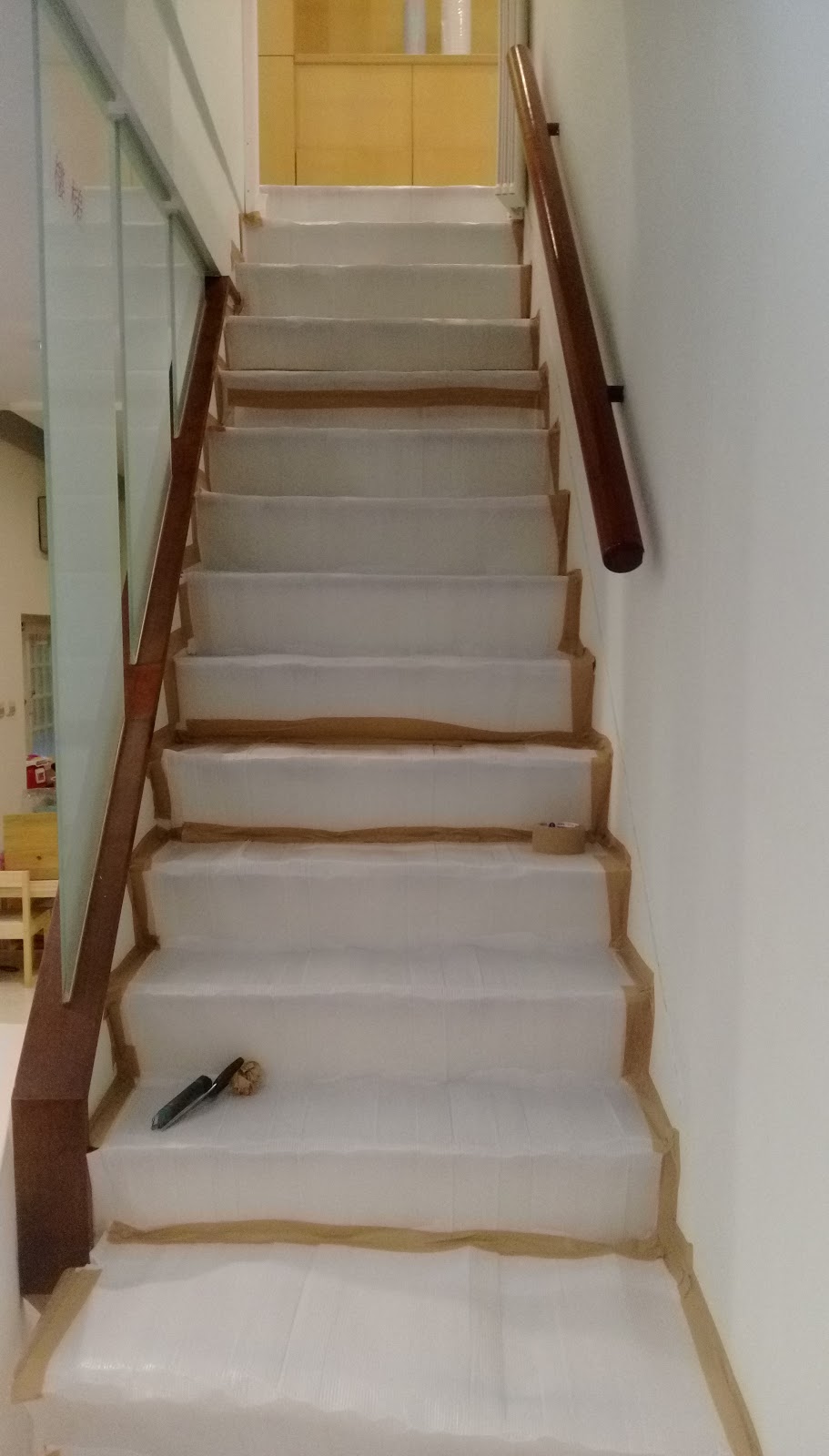
二樓浴廁修繕紀錄


Date: 2016/10/31 

由於要將原來的二樓廁所恢復使用,因此需要做預防撞壞工程,由我自已開始施作佈置
首先先將會影響的物品利用大型塑膠袋打包及拉力膜包好,然後地方鋪上防撞隔離,再用膠帶貼上


 預計施工會行經的通道再鋪上木板,並再用膠帶粘上!


大致完成後準備等待施工!

HTTP Error 401.3 - Unauthorized

HTTP Error 401.3 - Unauthorized


You do not have permission to view this directory or page because of the access control list (ACL) configuration or encryption settings for this resource on the Web server.


Date: 2016/11/01
Author: Willie
Type: IIS Configuration
-----------------------------------------------------------------------------------------------

Description:

Above is the error message i got when i deployed my web page in local machine.
My Application pool name is RASAPWEB. 


Solution: 

   Add IUSER & IIS AppPool\RASAPWEB permission into web folder. Then issue is solved.


2016/10/3

Enable SAPB1 SSO


How to Enable SAPB1 SSO

Willie
2016/10/03

SAPB1 v9.2


Step 1 Service Manager > License Manager > Configure Security


Step 2 System Landscape Directory > Security & Logging > Enable Single Sign On


Result 


Please remember bind user's AD acount in User Setting


~ Thank you ~

2016/8/26

Veeam 9 restore 異機還原

Veeam 異機還原

Author: Willie
Date:2016/08/26

-------

今天用了Veeam 9將Hyper-V主機 A 上的機器還原至 B地 ,以下簡稱 HOST-A, HOST-B為二部Hyper-V主機。同時也保有了UUID 一致性及Downtime最小的目的。且看下面的操作步驟。


準備動作
    
    先做好備份。這裡的範例是以 HOST-A上的 RA-VM-SECOM為範例


STEP 1

   開始步驟前,我們已經由HOST-B操作備份 HOST-A上的VM: RA-SECOM,然後直接開始選取 HOST-B >> Restore 出現如下視窗,選取Entire VM.


STEP 2

   接著   ADD VM >> From Backup

STEP 3

   接著   Select 來源Source 為 RA-VM-SECOM

STEP 4

   接著出現如下畫面按下 Next

STEP 5

   接著   Select 來源Restore to new location, or with different settings

STEP 6

   接著 記得切換Host為Host B. 這個步驟是還原指定的HOST

STEP 7

   接著 出現還原的檔案位址及目的位址,如欲更改位置必須先在Hype-V的設定改變Virtural Machine及 Virtual Disk的位址


STEP 8

   接著   Select 網路,設定 Not Connected 表示選擇稍後再設定網路。


STEP 9

   因為要保留UUID一致性以利VM的設定與HOST-A完全一致,Veeam提供了保留原機ID的選項,這讓我們移機的作業更保持穩定,因為 UUID一變動將會影響硬體甚致原生安裝軟體的一致性;最明顯的例子就是如果利用產生新ID則將要重新變更網卡設定。
 
   因此,在這裡我們選擇Preserve virtual machine ID


STEP 9

   接著按下 Finish


STEP 9

   開始執行Restore


STEP 10

   Restore 完成,你可以在Host-B 的 Hyper-V上找到 RA-SECOM


相關的影片紀錄如下