2017/1/6

MVC woff 404 error

Author: Willie Chou
Date: 2017/01/06

近日開發時遇上網站無法存取  .woff 的問題,檢查了資料夾內確有此檔!
到底是什麼原因呢?


經查Stack Overflow 後原來出錯在Header的設定,它提供了二種解決方式! 請大家直接連造過去即可得到答案!

Why is @font-face throwing a 404 error on woff files?

2017/1/3

Linq 回傳重覆資料

Linq Return Duplicate Rows 

Author: Willie Chou
Date: 2017/01/03

今日解決了一個Linq 回饋多筆重覆資料的問題,經上網查找後此文(Link)給了個靈感,原來是我在設定Model的時候指定給了Key欄位不正確的問題 (詳細的原因可以參考連結文章)。

Error


修正Model, 指定正確的Key於欄位上


再執行 Add-Migration >> Update-Database

問題修復! 大功告成!

*註:這裡我因為是自訂的Database View因此在 Migration 時下的指令為 Add-Migration fixIssue -IgnoreChanges


Reference:
http://www.itworld.com/article/2833108/development/linq-in--net-returning-duplicate-rows-from-a-working-sql-view--solved-.html


2016/12/30

Asp.net MVC call Jasper report via REST v2 service

Author: Willie Chou
Date: 2016/12/30


Directly call jasper report via http request.
Please see below scripts.
Hope this is help for you ! Happy New Year !

Please note! the variable _ReportURL format
  _ReportURL  = http://<web url>/jasperserver/rest_v2/reports

  public  ActionResult PrintPO(string POEntry)
        {

           
            //_ReportURL = System.Web.Configuration.WebConfigurationManager.AppSettings["ReportURL"];

            //_ReportUser = System.Web.Configuration.WebConfigurationManager.AppSettings["ReportUser"];

            //_ReportUserPWD = System.Web.Configuration.WebConfigurationManager.AppSettings["ReportUserPWD"];


            String encoded = System.Convert.ToBase64String(System.Text.Encoding.GetEncoding("ISO-8859-1").GetBytes(_ReportUser + ":" + _ReportUserPWD));

            string URL = _ReportURL + "/report.pdf?po=" + POEntry;


            CookieContainer myContainer = new CookieContainer();

            HttpWebRequest request = (HttpWebRequest)WebRequest.Create(URL);


            request.CookieContainer = myContainer;

            request.PreAuthenticate = true;                       

            request.Headers.Add("Authorization", "Basic " + encoded);

            HttpWebResponse response = (HttpWebResponse)request.GetResponse();


            var fileBytes = response.GetResponseStream();

            string filename = String.Format("PO{0}_{1}.pdf", POEntry, DateTime.UtcNow.ToString("yyyMMddHHmmssfff"));

            return File(fileBytes, response.ContentType,filename); //preview in browser please remove filename

        }


Result as below pix.

2016/12/27

Jasper Server site email 設定

Configure JasperReports Server to send e-mails

Author: WillieChou
Date: 2016/12/27

請留意,更改設定前備份好相關檔案,以利回溯復原!


Step 1. 設定參數 js.quartz.base.properties


檔案路徑 : \jasperserver\WEB-INF\js.quartz.base.properties
加入參數 : 

report.scheduler.mail.sender.host=您的主機 
report.schedulers.mail.sender.protocol=您的協定
report.schedler.mail.sender.port=您的Port
report.scheduler.mail.sender.username=您的帳號
report.scheduler.mail.sender.password=您的密碼


Step 2. 設定參數 applicationContext-report-scheduling.xml


檔案路徑 : \jasperserver\WEB-INF\applicationContext-report-scheduling.xml
我的Host 是利用o365來寄信,並有SSL的安全機制,因此請留意 mail.smtps.auth 要設為 true
參數確認如下: 


 ....


 Step 3.重啟Jasper Server 後大功告成


Reference:

[1] http://community.jaspersoft.com/wiki/how-configure-jasperreports-server-send-e-mails-gmail-mail-account

[2]http://community.jaspersoft.com/wiki/quartz-scheduling-properties

2016/11/1

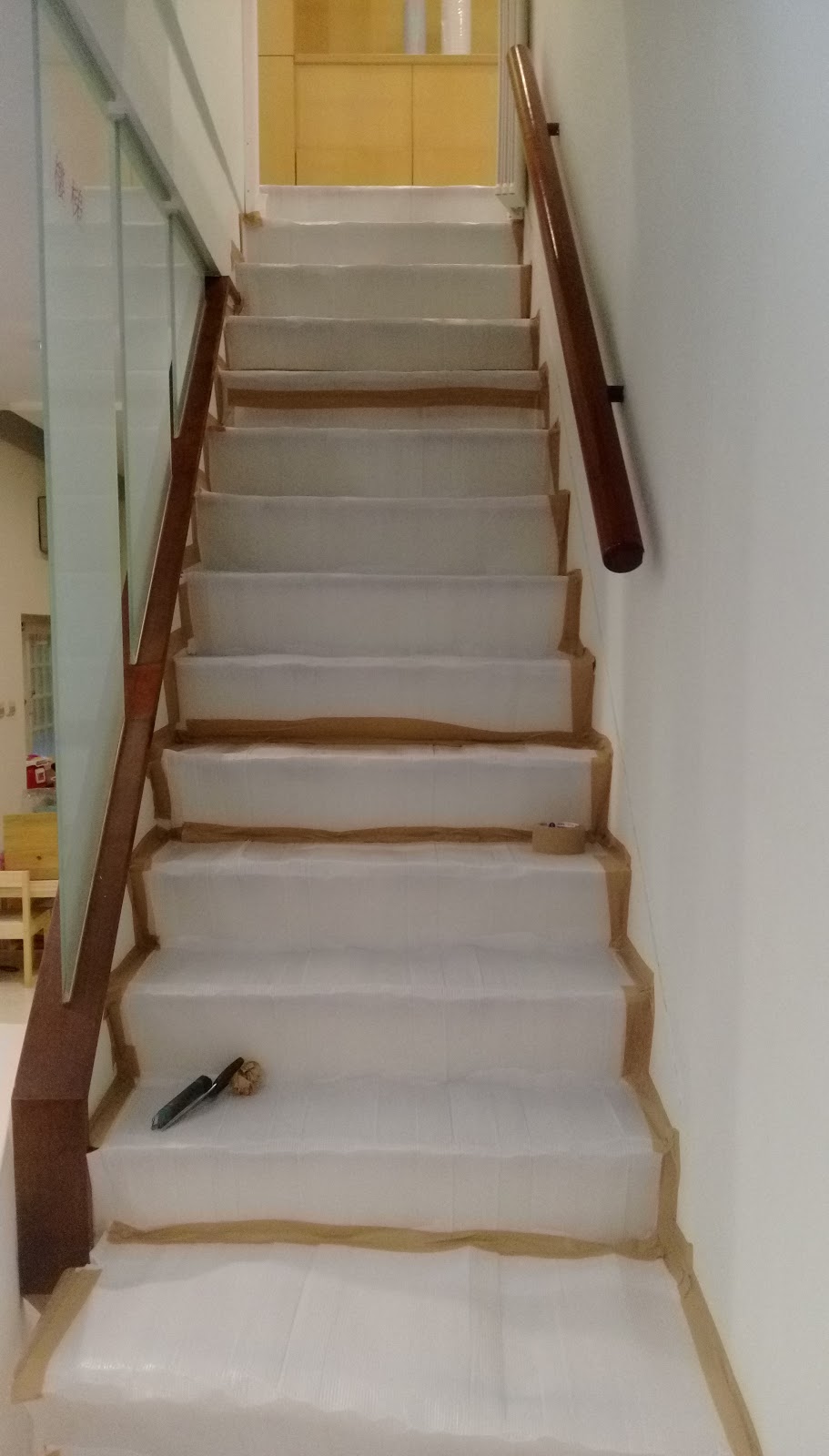
二樓浴廁修繕紀錄


Date: 2016/10/31 

由於要將原來的二樓廁所恢復使用,因此需要做預防撞壞工程,由我自已開始施作佈置
首先先將會影響的物品利用大型塑膠袋打包及拉力膜包好,然後地方鋪上防撞隔離,再用膠帶貼上


 預計施工會行經的通道再鋪上木板,並再用膠帶粘上!


大致完成後準備等待施工!

HTTP Error 401.3 - Unauthorized

HTTP Error 401.3 - Unauthorized


You do not have permission to view this directory or page because of the access control list (ACL) configuration or encryption settings for this resource on the Web server.


Date: 2016/11/01
Author: Willie
Type: IIS Configuration
-----------------------------------------------------------------------------------------------

Description:

Above is the error message i got when i deployed my web page in local machine.
My Application pool name is RASAPWEB. 


Solution: 

   Add IUSER & IIS AppPool\RASAPWEB permission into web folder. Then issue is solved.


2016/10/3

Enable SAPB1 SSO


How to Enable SAPB1 SSO

Willie
2016/10/03

SAPB1 v9.2


Step 1 Service Manager > License Manager > Configure Security


Step 2 System Landscape Directory > Security & Logging > Enable Single Sign On


Result 


Please remember bind user's AD acount in User Setting


~ Thank you ~